
Have you had the issue where you’re talking, defending yourself masterfully but no-one can hear you so you get executed? It wasn’t your fault, sometimes the microphone level just drops for no reason! So how do we fix this so you can stay alive next time?
Disable the “WebRTC” Browser Flag (Major Fix)
Even if you aren’t using a browser for your call, Google Chrome and Microsoft Edge have a background feature that can hijack your microphone’s gain settings across the entire OS.
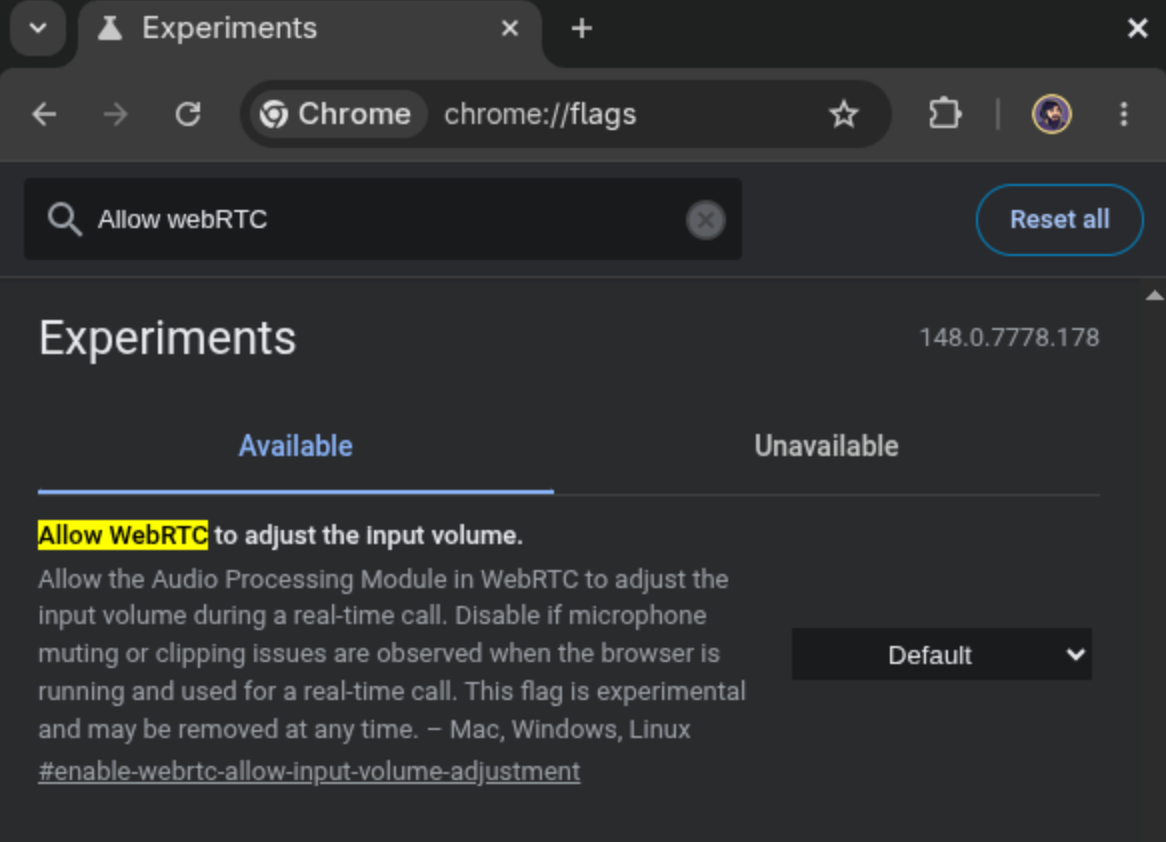
- Open a new tab in Chrome or Edge.
- In the address bar, type
chrome://flags(oredge://flags) and hit Enter. - Search for:
Allow WebRTC to adjust the input volume. - Change the setting from “Default” or “Enabled” to Disabled.
- Restart your browser.
Like Preaching a minion, this works by basically telling Chrome (or Edge) to keep their hands off the microphone.
So go forth and bluff, conquer and have fun in full volume!
Leave a Reply